The tool in pictures, step by step

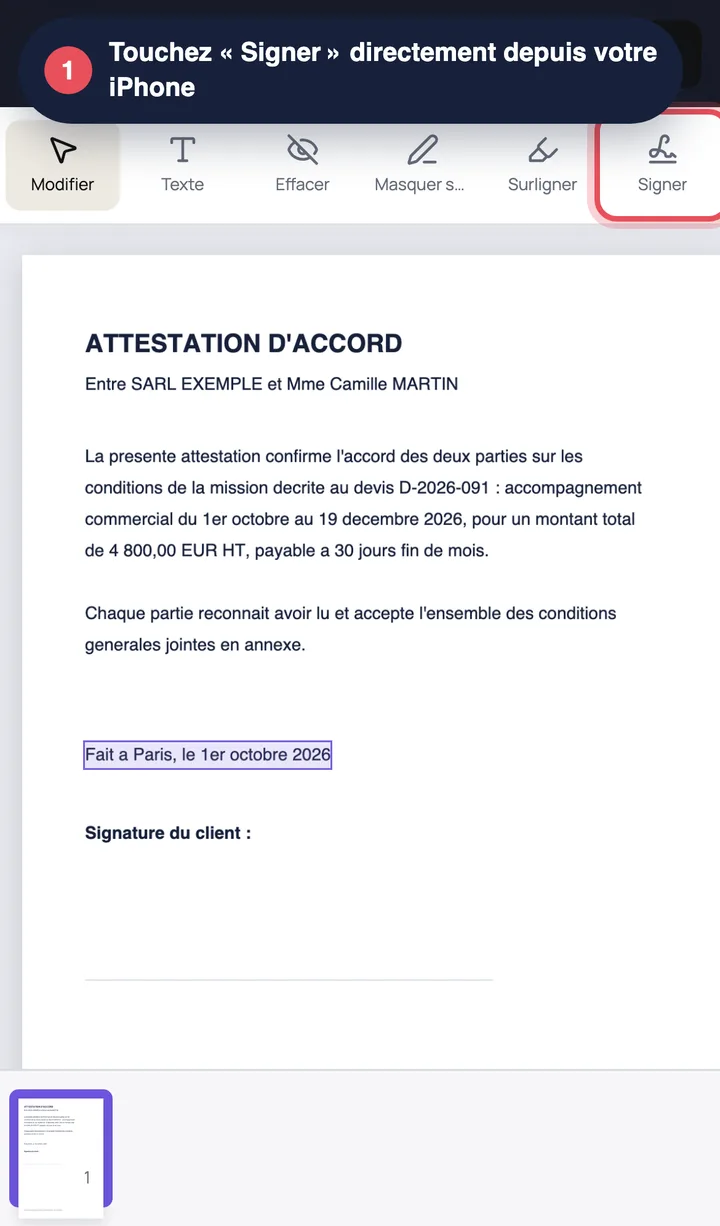
Editoc PDF editor on an iPhone with the Sign button highlighted in the toolbar
1. Open editoc.com in Safari and load the PDF from Files, iCloud Drive or an email attachment.
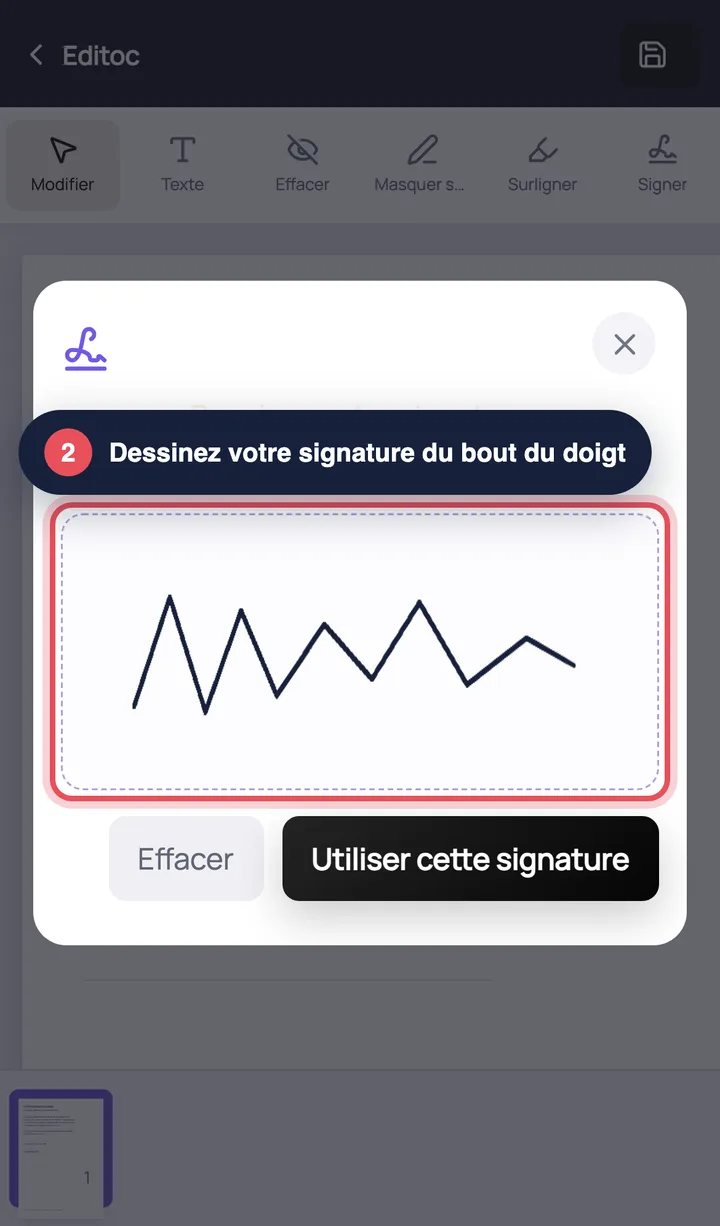
Editoc signature window on iPhone: a handwritten signature drawn with a finger on the touchscreen
2. Tap the signature tool, draw your signature with your finger, then place it on the document and resize it.
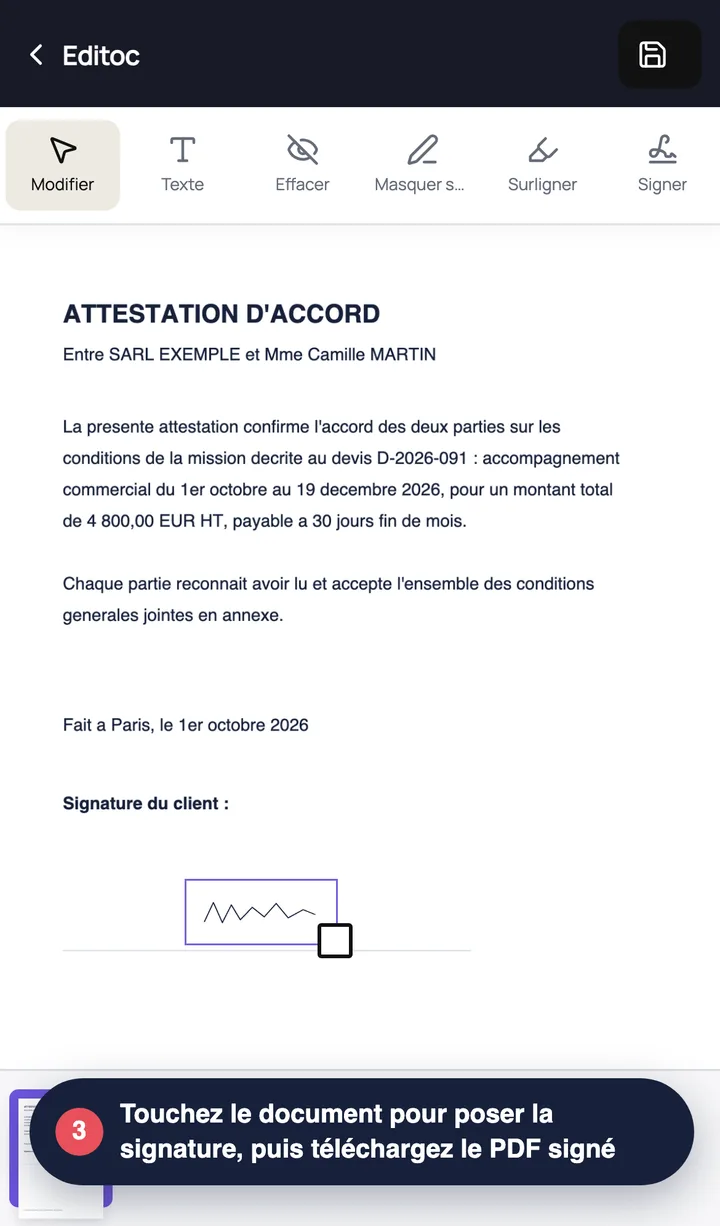
Handwritten signature placed on the “Client signature” line of a PDF document in Editoc on iPhone
3. Export the signed PDF and share it by Mail or Messages, or save it back to Files.