The tool in pictures, step by step

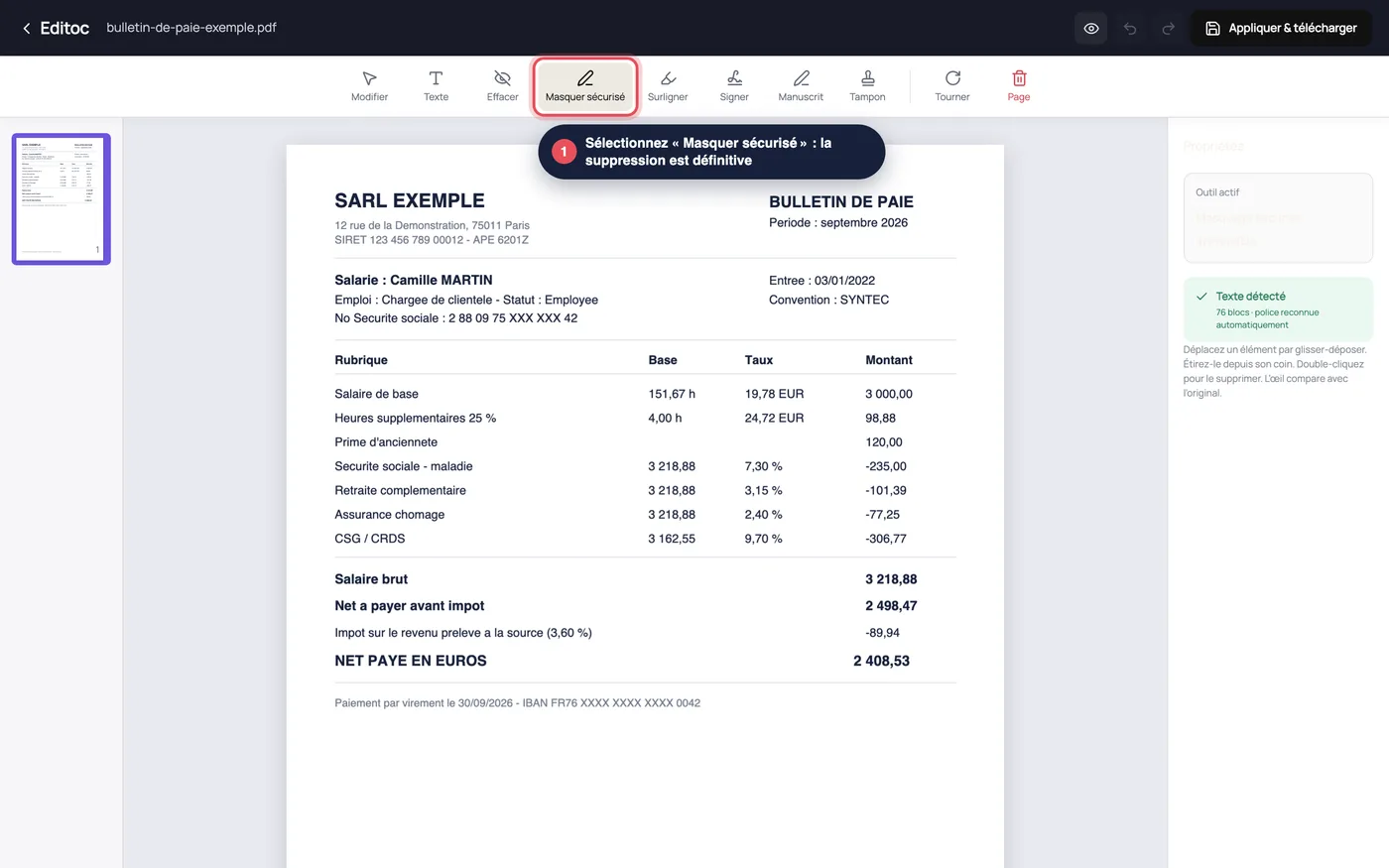
“Secure redact” tool selected in the Editoc PDF editor, with the note that redaction is irreversible
1. Open the PDF in the Editoc editor and select the secure redaction tool.
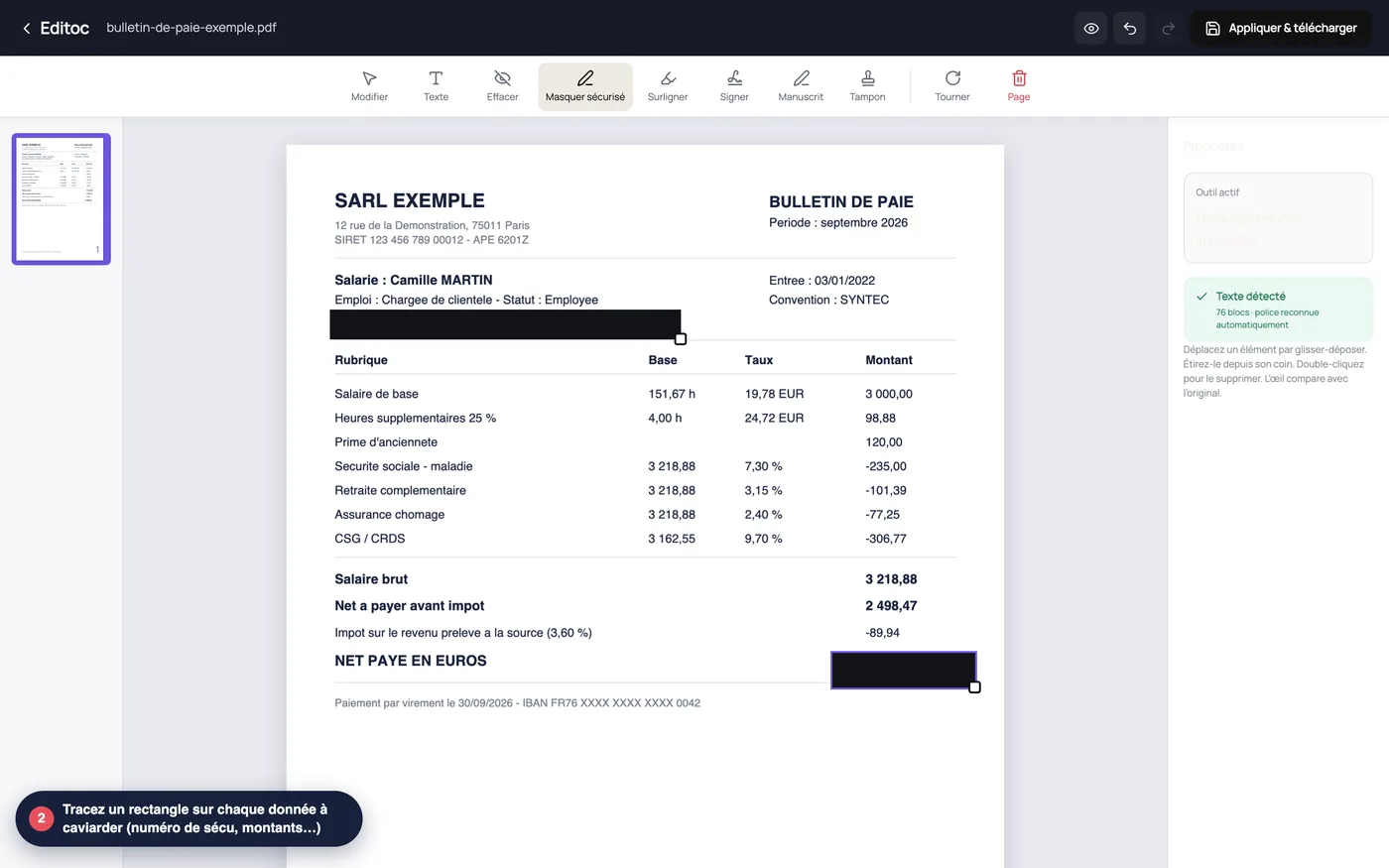
Payslip in Editoc with two areas redacted in black: the social security number and the net pay amount
2. Draw a box over every piece of text or data to remove: names, amounts, identifiers, addresses.
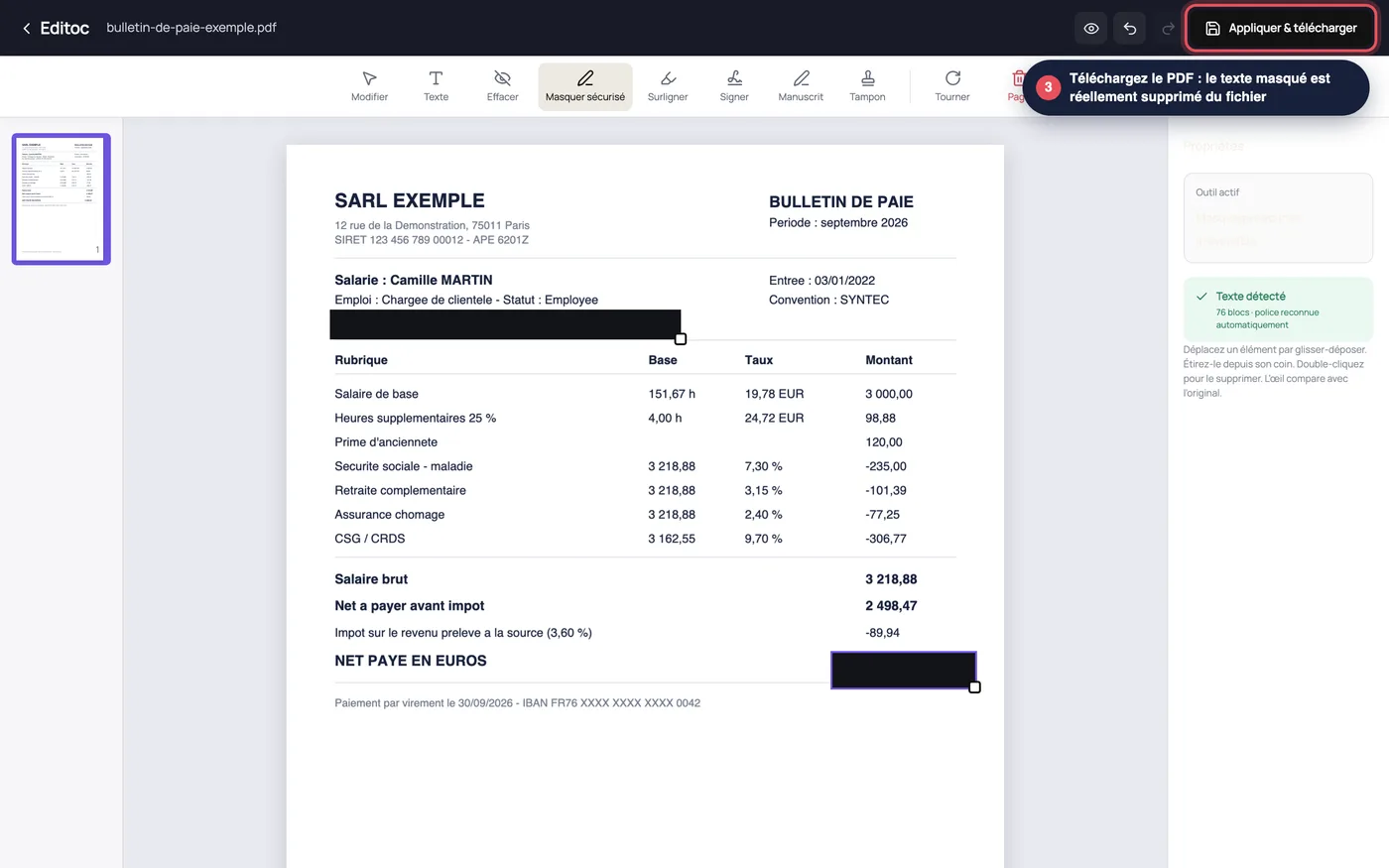
Downloading the redacted PDF in Editoc: the masked text is permanently removed from the file
3. Export the PDF, then verify: try to select or search the hidden text. Nothing comes back.